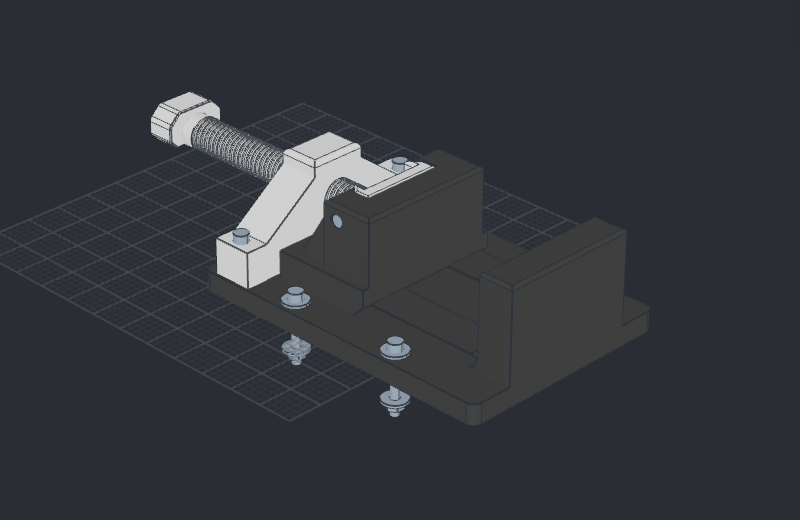
The printed vise
100 mm jaws, 90 mm travel, six printed parts and standard hardware. Explore a captured slide, a coarse D-screw and manufacturing drawings.
Watch, inspect or rebuild the viseRelease candidate 0.3.0-rc.3 is available for Windows, macOS and Linux. Its packages use source ca5b1ca6; the films and showcase designs retain their earlier tagged source.
Mechanical CAD · Pre-alpha
Sketch, shape and assemble mechanical designs. Keep the dimensions, features and relationships that make them editable. Work by hand or with your own agent, entirely on your computer.
No account, subscription or cloud CAD service required.
Release candidate 0.3.0-rc.3. Native parametric modeling, related assemblies, associative drawings and local MCP control. This is pre-alpha software; keep backups of important designs.
Windows x64 and ARM64 portable ZIPs · signed and notarized macOS DMG for Apple silicon · Ubuntu 26.04 x64 DEB · x64 AppImage for glibc 2.35+. Requirements, installation and updating.
Release notes, source revision and checksums. This release candidate does not replace 0.2.2 as the latest stable release. The Bevy browser app is still under development. Find the installed build in File → Settings → About Limo CAD.
Start here
Open Scripts, choose Sketch, extrude, ease the edges, then Run in new design. Watch a dimensioned block become a solid with a rounded rim.
Double-click its extrusion in the feature history. Change 12 to 18 mm, save first-part.nbcad, and reopen it. The editable feature history stays with the part.
Construction, assembly relationships and drawings are part of the editable design. The examples are digitally checked; physical fit and load qualification remain open.
100 mm jaws, 90 mm travel, six printed parts and standard hardware. Explore a captured slide, a coarse D-screw and manufacturing drawings.
Watch, inspect or rebuild the vise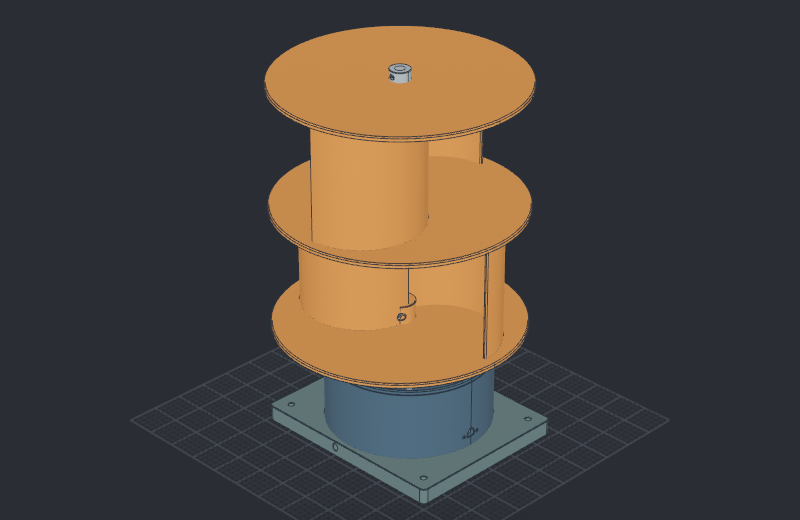
A two-stage Savonius rotor, supported shaft and 4:1 generator drive. Explore printable parts and coupled rotation.
Watch, inspect or rebuild the turbineManual modeling and MCP use the same grouped interface. An agent can inspect, create, edit and present a design in the live application. Recipes replay those operations without a separate modeling language.
CAM and guided learning tools are future directions. See current modeling, drawing and export capabilities.